Genealogy Research Workbench
A desktop application for serious genealogy research. It keeps track of where every fact comes from, keeps conflicting evidence side by side, and warns you when something in your tree cannot be right. Your research stays on your own computer.
The application is beta software: read what beta means before you rely on it.
What it is
Genealogy Research Workbench is a program for your own computer that behaves like a careful researcher rather than a family-tree drawing tool.
- Evidence first. Two sources that disagree both stay on record. You decide which to accept, and you can change your mind later without losing the alternative.
- Every conclusion has a history. Changes are kept as a chain of revisions back to the source that supports them.
- Honest about uncertainty. The application warns only about contradictions it can prove, such as a birth after a death.
Who it is for
It is for people who treat family history as research: who want to know which record a fact came from, and who would rather keep two records that disagree than quietly lose one. It is made for one researcher working on one computer running macOS, Windows or Linux. If you already keep a tree in another program, you can bring it in as a GEDCOM file.
It is not the right tool if you want to work on a tree together with other people, sync between devices, or use a phone or tablet. None of that exists.
Your research is stored on your computer
A workspace is an ordinary folder on your own disk, and no account or sign-in is required. Nothing from your research is sent anywhere unless you turn on a feature that uses the internet, such as AI-assisted web research or a connection to FamilySearch. Those features are off until you turn them on, and they send some details from your research, for example a person’s name, to the service involved.
The application also checks for new versions when it starts, which sends a version request; you can turn that off in Settings.
What it can do today
- Start from an existing tree or an empty one. Create a workspace, or import a GEDCOM file from another program. Every field in the file is kept, including ones the application cannot edit yet.
- Find and edit people. Search by name, add people by hand, edit names, life events, photos and privacy settings, and add family relationships.
- See the family as a chart. Ancestor, descendant and hourglass charts, three to six generations deep.
- Review every fact. Each fact, imported or typed in, waits for you to accept or reject it. A rejected fact stays visible.
- Record sources. Keep repositories, source descriptions and citations, attach them to facts, and judge each one against the question you are researching.
- Work through conflicts. Flag facts that disagree, write down which one you believe and why, and see automatic warnings such as a burial recorded before a death.
- Find duplicates. Scan the workspace for people who may have been entered twice, and merge them. A merge can be undone.
- Reports. Person, ancestor, descendant, timeline, evidence-gap and other reports, previewed in your browser or exported as PDF.
- Export and back up. Export the workspace to a GEDCOM file, and make backups from Settings. Restoring a backup from inside the application is not available yet.
- Optional AI suggestions. If you turn on both local AI and internet search, a model running on your own computer looks up gaps in your research on the web and proposes findings. Nothing it finds is applied automatically: accepting a suggestion only records your decision, and you make the change yourself.
The user guide describes each of these in full.
What it looks like
These pictures were taken of the application itself, using a small made-up demonstration family.
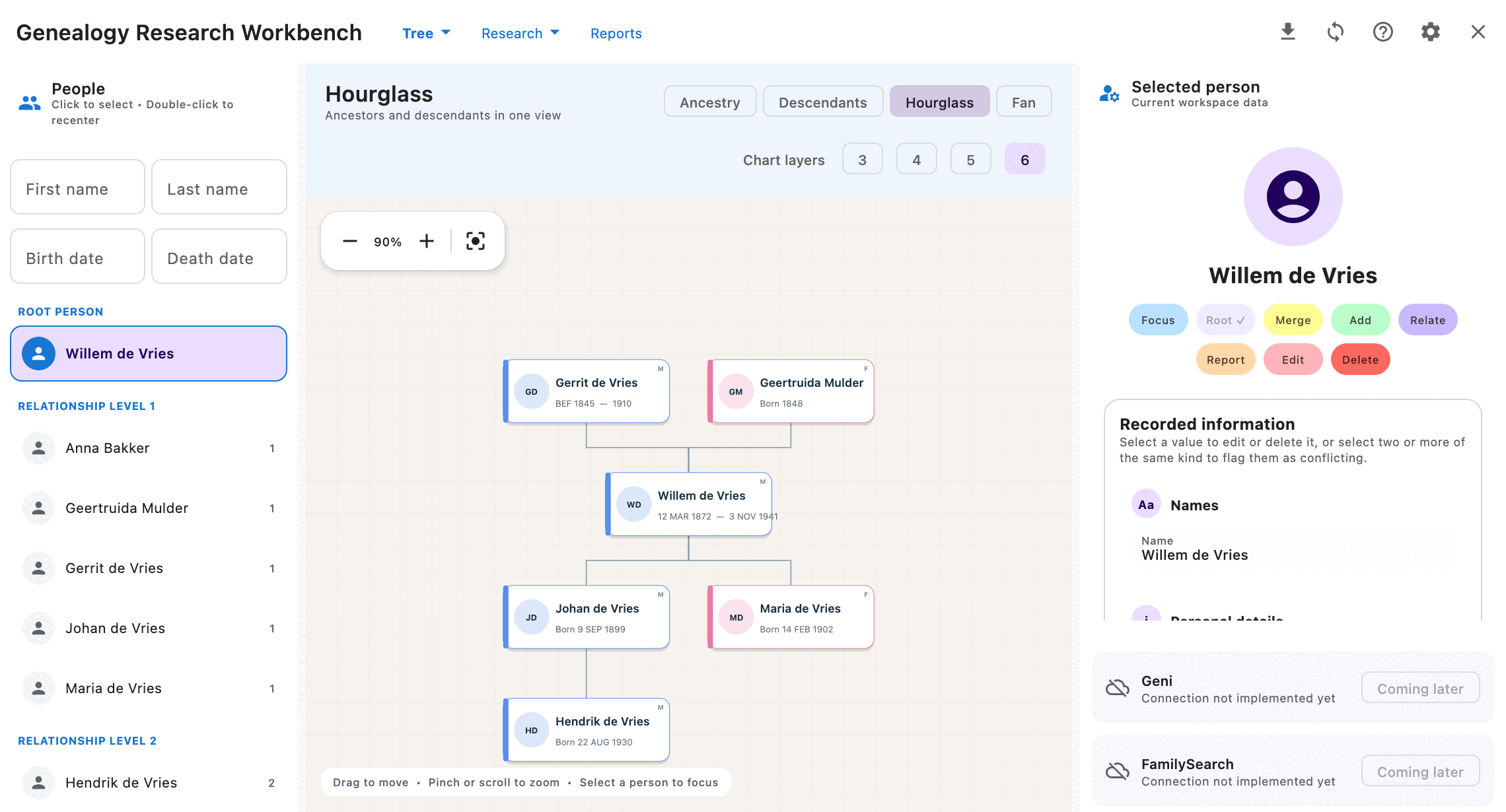
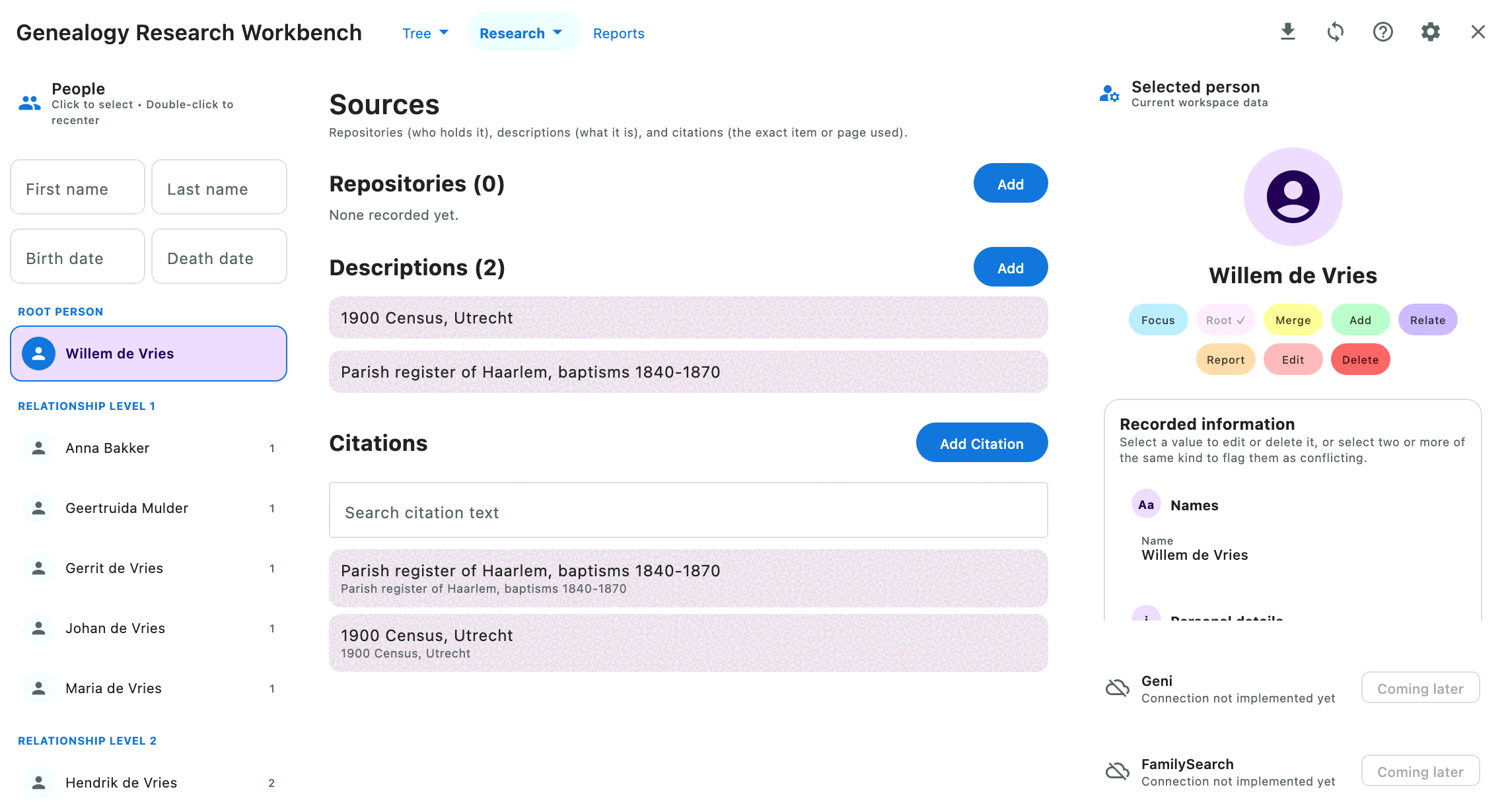
More pictures are in the illustrated tour in the user guide.
Where to go next
- Download: installers for macOS, Windows and Linux, with checksums and installation steps.
- Changelog: what changed in each version.
- What beta means: what to expect, and how to report a problem.
- The project on GitHub: the source code and the full user guide.